
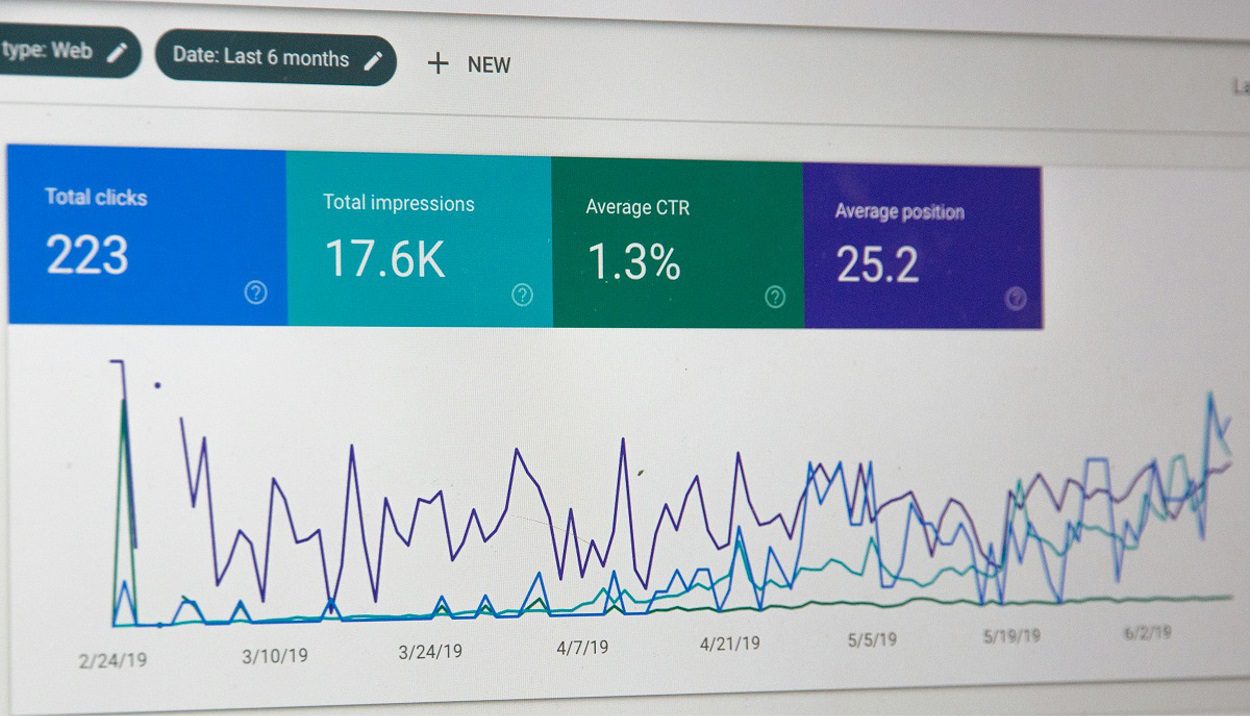
The best SEO reporting tools can be categorized into 5 different categories, namely: Comprehensive, Specialized, Economical, Emerging, and Customizable solutions.
- “All-in-One” SEO Reporting Tools
- Ahrefs Analytics Hub
- Semrush
- Moz Pro
- Best SEO Reporting Tools for “Specific Needs”
- Conductor Searchlight
- Looker Studio Pro
- Botify Analytics
- “Budget-Friendly” SEO Reporting Tools
- Mangools
- SE Ranking
- New SEO Reporting Tools Making Waves
- RankSense
- Serpstat
- SEO Reporting Tools for “DIY Reporting Solutions”
- Python + SEO Libraries
- PowerBI + SEO Connectors
Related Post: Before you analyze your metrics, ensure your articles were built using the best SEO content writing tools for small businesses.
Quick Comparison of Best SEO Reporting Tools
In case you don’t want to read the complete article, I have pasted a comparison chart of the main SEO reporting Tools. In this table, I have specifically added: Key features, PROS, CONS, and pricing for the leading SEO reporting tools.
Disclaimer: The information shared in this article is based on research, vendor documentation, and my personal experience with these tools. Pricing, features, and offers may change over time. I recommend visiting each tool’s official website and comparing options carefully before making a purchase decision. Some of the links in this post are affiliate links — at no extra cost to you, I may earn a small commission if you decide to buy through them. This helps support the site and allows me to keep creating helpful content. Please read our “Affiliate Disclosure“.

Let’s continue reading the article for details…….
SEO reporting isn’t exactly the sexiest part of digital marketing. But here’s the truth that seasoned marketers won’t tell you: your SEO strategy is only as good as your ability to measure, analyze, and communicate its results.
Related Post: 9 Best Email Marketing Tools for Small Businesses
It is my personal experience; no matter whether you are an SEO professional, a digital marketer, or a business owner, the right tool is essential to provide valuable insights to improve the search rankings of your articles/blogs, enhance visibility, and drive organic traffic.
In this comprehensive guide, I’ll walk you through the top SEO reporting tools, breaking down their strengths, limitations, pricing, and ideal use cases. I’ve personally test-driven these platforms and consulted with industry peers to bring you insights you won’t find in standard product reviews.
By the end of this article, you’ll have a clear understanding of which SEO reporting software best aligns with your specific goals and workflow.
What Makes the Best SEO Reporting Tool in 2026?
Before diving into specific recommendations, let’s establish what separates the truly effective SEO reporting platforms from the mediocre ones in today’s environment:
Key Features of Top-Tier SEO Reporting Tools

- Comprehensive Data Integration
- Seamless connection with Google Analytics 4, Google Search Console, and other essential data sources
- Ability to import data from multiple platforms into unified reports
- Custom API integrations for specialized needs
- AI-Powered Insights
- Automated anomaly detection that flags significant changes in performance
- Predictive analytics that forecast trends based on historical data
- Natural language generation for translating complex data into readable narratives
- Customization Capabilities
- White-label reporting options for agencies
- Drag-and-drop report builders for creating tailored dashboards
- Custom metrics and KPI tracking aligned with specific business objectives
- Visualization Excellence
- Interactive charts and graphs that make data digestible
- Comparative views to benchmark against competitors or previous periods
- The visual hierarchy that highlights critical insights
- Workflow Efficiency
- Automated report scheduling and distribution
- Collaborative features for team input and client feedback
- Time-saving templates for recurring reports
Now, let’s dive into the best SEO reporting tools of 2026, categorized to help you find the perfect match for your specific needs.
Different types of SEO Reporting tools
SEO reporting tools come in various categories based on their functionality, pricing, and intended user base. Below are five key categories of SEO reporting tools

Let’s read about the different types of SEO reporting tools, based on their categorization, in detail.
The Best “All-in-One” SEO Reporting Tools
1. Ahrefs Analytics Hub – “Best for Backlink Analysis.”
Ahrefs has come a long way from its backlink analysis roots. The 2026 iteration of their Analytics Hub stands out as perhaps the most comprehensive all-in-one SEO reporting solution on the market.
Standout Features:
- The revamped Site Audit now integrates directly with their reporting suite, providing actionable insights alongside performance metrics.
- Their newly introduced “Competitive Intelligence” module offers unparalleled visibility into competitor strategies.
- The AI-powered “Impact Assessment” feature quantifies the business value of SEO improvements.
Pricing: Starting at $129/month for small businesses, with enterprise plans reaching $449/month
Best For: SEO professionals and agencies who need depth, breadth, and sophisticated competitive analysis in their reporting
Limitations: The learning curve remains steep for beginners, and some users report occasional data discrepancies with Google Search Console.
Get Stared Now2. SEMrush Intelligence Center – “Best for Agencies.”
Always Ahrefs’ closest competitor, Semrush has doubled down on its reporting capabilities with the Intelligence Center, making integrated reporting a centerpiece of its offering.
Standout Features:
- The “Narrative Reports” feature uses AI to generate plain-English explanations of complex SEO developments
- “Client Portal” provides interactive dashboards that clients can explore independently
- Newly enhanced API allows for custom data integrations from virtually any source
Pricing: Plans range from $129.95/month (Newbies and small teams) to $499.95/month (For large agencies and enterprises), with custom enterprise solutions available.
Best For: Agencies managing multiple clients who need a streamlined workflow and impressive client-facing reports
Limitations: Some advanced features are only available on higher-tier plans, and users report occasional slow processing times for large data sets.
Start my Free Trial3. Moz Pro Analytics Suite
After a significant platform overhaul in late 2024, Moz has reemerged as a serious contender in the SEO reporting tools space.
Standout Features:
- The cleanest, most intuitive interface among major platforms
- “Performance Forecasting” tool that predicts traffic changes based on ranking improvements
- Excellent integration with content marketing metrics, connecting SEO efforts to content performance
Pricing: From $49/month (Only one website) to $299/month, with annual discounts available
Best For: In-house SEO teams and smaller agencies prioritizing user experience and clear data presentation
Limitations: It still doesn’t match the technical depth of Ahrefs or Semrush for advanced users.
Start my Free TrialBest SEO Reporting Tools for “Specific Needs”

4. Conductor Searchlight (Best for Enterprise)
Conductor continues to dominate the enterprise SEO reporting space, with their platform specifically designed for large organizations with complex reporting requirements.
Standout Features:
- Unprecedented customization options for reporting hierarchy and access permissions
- Advanced workflow tools that integrate with enterprise project management systems
- C-suite-focused executive summaries that translate SEO metrics into business language
Pricing: Information on pricing is not provided by the vendor. After your free trial, you will be directed to the pricing details.
Best For: Large organizations with multiple stakeholders and complex approval processes
Limitations: Overkill for smaller teams, and the extensive customization options can be overwhelming initially.
Start my Free Trial5. Looker Studio Pro (Formerly Google Data Studio) (Best for Data Integration)
Google’s visualization platform has matured significantly, with the Pro version now offering advanced capabilities specifically tailored for SEO reporting.
Standout Features:
- Unmatched integration with the Google ecosystem (GA4, GSC, Google Ads)
- “Insight Panels” that automatically surface critical performance changes
- New template marketplace featuring designs from leading SEO agencies
Pricing: Basic version is free; however, its PRO version will cost you $9/user/month – still a nominal cost. For beginners who want to start economically, I’d say that you should go with Google’s application – a trusted brand to begin with!
👉 “While SEO tools help you track performance, choosing an SEO-friendly WordPress theme is equally important for site visibility. Here are my top Envato WordPress Themes for Beginners that balance design with performance.”
Best For: Data-driven teams who need to combine SEO metrics with broader marketing and business data
Limitations: Still requires some technical know-how to fully customize reports.
Start my Free Trial6. Botify Analytics (Best for Technical SEO Reporting)
For websites where technical SEO is paramount, Botify Analytics provides specialized reporting focused on crawlability, indexation, and technical optimization.
Standout Features:
- Unprecedented depth in crawl data analysis
- AI-powered technical recommendations with prioritization based on potential impact
- JavaScript rendering analysis that identifies client-side issues affecting SEO
Pricing: There are no fixed monthly charges. However, customers are charged for the number of pages and the features they select for their projects.
Best For: Large websites with complex technical requirements and dedicated technical SEO specialists
Limitations: Less focused on keyword performance and competitor analysis than all-in-one tools.
Request a Demo“Budget-Friendly” SEO Reporting Tools
7. Mangools Suite
Mangools continues to be the value leader, offering surprisingly capable SEO reporting capabilities at a fraction of the price of premium tools.
Standout Features:
- Intuitive dashboards requiring minimal onboarding
- Newly enhanced SERPWatcher with more detailed ranking reports
- Competitive position tracking with historical trending
Pricing: Plans from $49/month to $129/month with significant annual discounts
Best For: Solopreneurs, small businesses, and SEO beginners with limited budgets
Limitations: Lacks the data depth and advanced features of premium tools.
Create your Free Account8. SE Ranking
Another excellent option for cost-conscious users, SE Ranking has significantly improved its reporting capabilities in 2026.
Standout Features:
- White-label reporting included even in lower-tier plans
- Automated weekly and monthly report generation
- Competitive rank tracking across multiple search engines
Pricing: Starting at just $52*/month with flexible plans based on usage
Best For: Freelancers and small agencies looking for client-ready reports without breaking the bank
Limitations: Data refreshes less frequently than premium alternatives.
Start your Free Trial“Emerging Innovators”: New SEO Reporting Tools Making Waves in 2026
9. RankSense Analytics
This relative newcomer has quickly gained attention for its innovative approach to SEO performance reporting.
Standout Features:
- Implement SEO changes on multiple pages by integrating Cloudflare and Google Sheets.
- Industry-leading AI implementation that identifies correlations between SEO changes and performance shifts
- An automated SEO testing framework that quantifies the impact of optimizations
- Remarkably accurate search volume forecasting based on trend analysis
Pricing: Below is the screen shot for old pricing. Register free to get the latest pricing.

Best For: Data-driven SEO professionals who value innovation and predictive capabilities
Limitations: As a newer platform, it lacks the established track record of industry leaders.
Start your Free Trial10. Serpstat Insight Engine
Serpstat has reinvented itself with its new Insight Engine, focused on making SEO reporting more accessible and actionable.
Standout Features:
- “Priority Tasks” feature that highlights the highest-impact opportunities
- Excellent visualization of keyword cannibalization issues
- Natural language querying – ask questions in plain English and get data-driven answers
Pricing: From $50/month (Individual – 7 days free trial) to $410/month (Agency).
Best For: Mid-sized businesses looking for actionable insights without overwhelming complexity
Limitations: Less comprehensive backlink analysis than category leaders.
Start my Free TrialBuilding Custom SEO Reports: Tools for “DIY Reporting Solutions”

11. Python + SEO Libraries
For the technically inclined, custom Python solutions using libraries like Pandas, Matplotlib, and specialized SEO packages offer unmatched flexibility.
Standout Features:
- Complete customization of metrics, visualizations, and analyses
- Direct API access to major data sources
- Ability to incorporate proprietary data and metrics
Pricing: Free (excluding development time)
Best For: Technical SEO specialists with coding experience and unique reporting requirements
Limitations: Significant time investment required for setup and maintenance.
There isn’t a direct vendor sign-up link, since Python + SEO Libraries is an open-source and custom-coded solution rather than a commercial tool. However, I’ll provide some links to various resources where you can learn and implement SEO reporting with Python.
12. PowerBI + SEO Connectors
Microsoft’s PowerBI has become increasingly popular for SEO reporting thanks to specialized connectors developed by the community.
Standout Features:
- Enterprise-grade visualization capabilities
- Excellent handling of large datasets
- Strong integration with Microsoft ecosystem for enterprise users
Pricing:

Best For: Organizations already invested in Microsoft tools and those needing to integrate SEO data with business intelligence systems
Limitations: Steeper learning curve than dedicated SEO tools.
Start my Free TrialHow to Choose the Right SEO Reporting Tool for Your Needs

With so many excellent options, selecting the best SEO reporting tool for your situation requires careful consideration. Here’s a framework to guide your decision:
1. Audit Your Reporting Requirements
Start by documenting the exact metrics, dimensions, and insights you need to track. Consider:
- Audience needs: Are you reporting to clients, executives, or your team?
- Technical depth: Do you need surface-level metrics or deep technical analysis?
- Integration requirements: What other platforms must your reports pull data from?
2. Evaluate Your Technical Resources
Be honest about your team’s technical capabilities:
- Can you invest time in tool configuration and customization?
- Do you have data analysis expertise to interpret complex reports?
- Would you benefit more from automation or manual control?
3. Consider Scalability
Think about your future needs:
- Will you be adding more websites or clients to your reporting workflow?
- Are your reporting requirements likely to grow more sophisticated?
- Do you anticipate needing more users or collaborators?
4. Test Drive Before Committing
Almost all the top SEO reporting tools offer free trials or demos:
- Run parallel tests with your actual data across 2-3 platforms
- Involve stakeholders who will use or receive the reports in the evaluation
- Pay special attention to the metrics most critical to your specific goals
The Future of SEO Reporting: Trends to Watch

1. AI-Driven Narrative Reports
The integration of advanced natural language generation is transforming how SEO data is communicated. Expect tools to increasingly translate complex metrics into readable stories that explain what happened, why it matters, and what actions should be taken.
2. Predictive Analytics
Forward-looking metrics will become standard, with tools not just reporting what happened but forecasting future performance based on current trends and planned optimizations.
3. Unified Marketing Intelligence
The lines between SEO reporting and broader marketing analytics will continue to blur, with tools increasingly connecting SEO metrics to overall marketing performance and business outcomes.
4. Automated Opportunity Identification
Rather than just reporting data, tools will automatically surface high-impact opportunities based on performance patterns and competitive analysis.
Conclusion: Finding Your Perfect SEO Reporting Match
The best SEO reporting tool isn’t necessarily the one with the most features or the highest price tag—it’s the one that aligns most closely with your specific needs, workflow, and goals.
For comprehensive analysis with unmatched depth, Ahrefs Analytics Hub leads the pack. Agencies managing multiple clients might find Semrush Intelligence Center’s workflow efficiencies invaluable. Budget-conscious users can accomplish remarkable results with Mangools or SE Ranking. Those with specialized needs have excellent options in tools like Botify Analytics or custom solutions.
Remember that even the best SEO reporting platform is only as valuable as the insights you extract from it and the actions those insights inspire. The right tool should not only measure your SEO performance but also help illuminate the path to improvement.
As search algorithms continue evolving and user behaviors shift, staying adaptable in your reporting approach will be crucial. The winners in organic search won’t just be those with the best optimization tactics, but those who can most effectively measure, analyze, and act upon performance data.
What’s your experience with SEO reporting tools? Have you found your perfect match, or are you still searching? I’d love to hear about your reporting challenges and successes in the comments below.

Satnam Sadeora
Digital Marketing Strategist | SEO & Marketing Tool Analyst
Satnam Sadeora is the founder of GoDigitalTools.com, where he researches, tests, and reviews SEO, email marketing, CRM, and analytics platforms.
He evaluates tools based on real-world usability, scalability, feature depth, and ROI — not promotional bias.
Learn more about his review standards on the About page.
FAQs
What are SEO reporting tools, and why do I need them?
SEO reporting tools collect data about your website’s search performance, traffic, and keywords. They help you track progress, find issues, and show results to clients or teams. These tools save time and give clear insights into what’s working in your SEO strategy.
How do SEO reporting tools help improve search rankings?
SEO reporting tools show you where your site ranks, what keywords drive traffic, and technical issues hurting visibility. With clear reports, you can fix problems faster and make better decisions that help your content rank higher on search engines.
What features should I look for in an SEO reporting tool?
Good SEO reporting tools include data integration (like Google Analytics), customizable dashboards, automated reports, and visual charts. They also track keyword performance, competitor metrics, and traffic trends to give a full picture of your SEO health.
Can small business owners use SEO reporting tools on a budget?
Yes. There are budget-friendly SEO reporting tools like Mangools and SE Ranking that offer useful features at lower cost. These still give key data about rankings, site health, and competitive insights without a big investment.
How often should I generate SEO reports for my website?
You should create SEO reports weekly or monthly, depending on your goals. Frequent reports help you spot trends, adjust your strategy, and see whether your SEO improvements are working over time.
Can free tools handle SEO reporting well?
Free tools like Google Search Console and basic dashboards can handle entry-level SEO reporting. They give useful data on search performance, clicks, impressions, and site health, though they may lack deeper analysis found in paid tools.
What’s the difference between all-in-one and specialized SEO reporting tools?
All-in-one tools combine analytics, keyword tracking, and reporting in one platform, while specialized tools focus on specific tasks like technical audits or custom visual reports. Choose based on the depth of data you need.
How can SEO reporting tools help my content marketing strategy?
SEO reporting tools show which pages and keywords are driving the most traffic. This lets you focus on improving or expanding high-performing content and fix underperforming pages to boost overall SEO success.
Are there AI features in modern SEO reporting tools?
Yes. Some modern SEO reporting tools use AI to highlight trends, generate narrative summaries, and offer predictive analytics. These features help simplify complex data and make reports easier to understand.
How do I choose the right SEO reporting tool for my needs?
To choose the right tool, list your goals (rank tracking, traffic reporting, client dashboards) and compare features like automation, integrations, and price. Test tools with trials before committing to ensure they match your workflow.
